So many Usernames & Passwords.
How to stay secure while still being able to remember your usernames & passwords.
24 May 2026
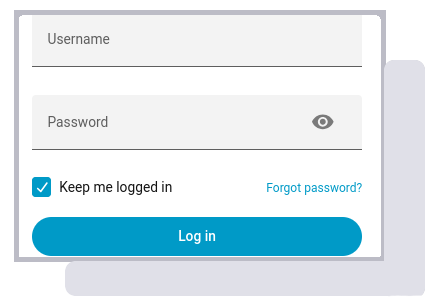
With more and more of our daily transactions moving to computer systems, many of which run over The Internet, we need to secure the access to these systems. If the wrong people were to gain access to our accounts, they could cause problems and in some case these problems could be MAJOR problems.
- Bank / Financial Accounts
- This is the obvious one. Anyone with access to our account could withdraw all our money or set up standing orders etc..
- Social Media
- Whilst this may seem less of a threat, after all much of the data on your social media account is publicly visible so what could a hacker steal? But this isn't about having yor data stolen, its about having your identity stolen. What would happen it someone posts a libellous or racially motivated statement? The law is tightening up on this types of posts and you could find yourself down the local police station or in court. Even if the post was not illegal, it may be very controversial and, if you are applying for a job, a prospective employer may read your social media feed and make the wrong decision about you. They may post links to malware on social media in your name; your friends and follwers may then click these links because they trust YOU.
- Energy accounts
- It's very unlikely that someone would hack into our energy account and pay the bill for us. But how many places ask for a "Recent Bill" as proof of your identity when opening an account? Someone with access to your energy account may be able to discover your bank details from the accounts settings, download a recent bill and purchase something in your name.
- Email Account
- Gaining access to your email could allow someone to initiate a password reset request on all of your other accounts. Having access to the email the reset link is sent to would allow them to set their own password granting them access and locking you out.
How to create good usernames and passwords
The majority of web based systems still use username and password credentials to secure user accounts. Mobile apps are moving toward biometric logins (face recognition, fingerprint etc) and websites are trying to move toward passkeys but, in the meantime, we still need usernames and passwords.
So, what makes a good username password combination?
When hackers manage to steal data that includes username / passwords, they carry out credential Stuffing attacks. For example, if a hacker steals data from www.somewebsite.co.uk and that data includes usernames and passwords, they will attempt to gain access to other sites (including banks, social media, shops etc.) with all those username / password combinations. Anyone using the same credentials for multiple sites could have other sites compromised. It is therefore essential that you use unique usernames and passwords.
Where the system wants you to use an email address for a username, we are restricted to using an email address that we can receive emails on. Unbeknown to many people. many email providers do not limited you to a single email address.
Many providers us pluss email addressing. Plus email addressing, also known as sub-addressing, is a feature that lets you create multiple variations of your primary email address by adding a plus (+) and a tag before the @ sign. For example, if your standard email address is myname@emaildomain.co.uk, a plus email address might be myname+amazon@emaildomain.co.uk. This means you can have unique emails such as:
- myname+amazon@emaildomain.co.uk - for your amazon account
- myname+mybank@emaildoman.co.uk - for your bank account
- myname+mastodon@emaildomain.co.uk - for your mastodon accoun
There are also a growing number of "Hide Your Email" services. These services let you pick any email address they control and they will forward it to your email address. duckduckgo.com are one provider of this service. you can register any unique address (e.g. asDewR$3@duckduckgo.com) and have it forwarded to your own email. This means the service provider (or any hacker that acquires their data) will not know your email address. You do, of course, need to use unique addresses for each of your login accounts making it more difficult to remember each username. There are many service providers and a Search will give many options. Firefox also offers a service called "FireFox Relay" which can be used in the browser.
Choosing a password is a little more tricky. Hackers sometimes use Brute Force Attacks to try to "Guess" your password. In a "brute force" attack, the hacker will try every combination of every character available to them. If your password is limited to 26 letters (non Case Sensitive) and 10 digits, it will take a maximum of 36 attempts to crack a one character password. By using 2 characters, it will now take a maximum of 36 * 36 (1,296) attempts. Using 3 characters makes this 36*36*36 (45,656). So you can see the more, characters you use the more attempts it should take for a hacker to guess your password.
Hackers also use "Dictionary Attacks". In this method they have a dictionary of words / phrases and try each one in turn. You can download these dictionaries from many places on the web. The best defence against this attack is to use either unusual words or a combination of words. The more words you use, the more combinations the hacker has to try, taking longer and being safer.
We might think that the password "asfAD%£fed£asdg66$3265*fbasdfhdyQ£24" is a good password. it has lot's of characters to make "Brute Force" attacks difficult and it doesn't have any words for use in a "Dictionary Attack". But do you really want to type this in every time you log on? Remember, in order to be a good password it needs to balance security against usability.
It should be noted however, that the chances of having a password guessed by either of these methods is quite slim. Many services rate limit login attempts so computerised hackers cannot have 30 guesses a minute. Frequently, a system will freeze your account (permanently or temporarily) after 3 incorrect password attempts so as to prevent an account being hacked.
Most hacked accounts are down Credential Stuffing attacks where people have re-used usernames / passwords. Its more important to be unique than complex.
The downside of unique login credentials is that it's difficult to remember multiple usernames/password combinations, especially when we might not log into some accounts for days (or weeks) on end. We would therefore recommend using a password manager. The National Cyber Security recommends using a password manager too. Many browsers have password managers built in and will ask to remember your password each time you log into a new service. We prefer not to trust a browser with this information and, instead, use a 3rd party provided password manager. There are many choices available and for anyone wishing not to store this information in the cloud, you can host the password files yourself using Keepass or Keepassxc.
Using safe and secure username / password combinations is easier than you might think and, while it does take a little effort, it has a big impact on your security possibly saving you lots of time, effort and money in the long run.